Top 5 Accounttech.com Alternatives for Real Estate Software 2026

Comparing real estate commission management software is hard when platforms bundle generic accounting tools that do not serve brokerage payment workflows. Many real estate back office systems hide detailed pricing, lack audit-ready commission records, or do not connect agent payouts with approval trails in one dashboard. This comparison highlights fit, features, and cost transparency across five alternatives so brokerages can select a solution that supports real estate commission management without surprise hurdles.
Table of Contents
BrokerPay

At a Glance
Plans start at $149 per month for up to 50 agents and there are no per-transaction software fees. BrokerPay replaces informal payment routes such as Venmo and Zelle with an auditable brokerage-controlled flow. The system tracks agent splits, referral fees, earnest money, and approval steps on a single dashboard.
Core Features
BrokerPay lets agents submit payment requests with recipient, amount, and memo while brokers review requests through configurable approval workflows and a dashboard. The platform records an automatic audit trail for every action and maintains role-based access and bank-level encryption for transaction records. It also offers cap tracking with projections, earnest money tracking through closing with title confirmation, ACH transfers via Stripe ACH, and built-in limits that flag unusual activity.
Key Differentiator
The product targets real estate brokerages directly by embedding compliance, approval workflows, and full audit logs into the payment flow. That focus replaces informal peer-to-peer transfers and documents every split, referral, and co-op commission for regulatory review.
Pros
BrokerPay was built around brokerage payment workflows, so the feature set maps to common commission, referral, and earnest money needs rather than generic accounts payable tasks. The audit logs and approval trails make record keeping straightforward for compliance and dispute resolution. The dashboard centralizes requests and approvals, which reduces manual email threads and spreadsheet tracking. Pricing uses a flat monthly subscription with no per-transaction fees, which keeps transaction costs predictable for brokerages. The vendor offers custom plans for larger brokerages.
Cons
- Limited to real estate brokerage payment workflows and not suited for general commerce or nonbrokerage industries.
Notable Integrations
BrokerPay processes ACH transfers through Stripe ACH and relies on that connector for movement of funds between agent recipients and brokerage accounts. No additional third-party integrations are listed in the product data.
Who It’s For
Brokerages that must document commission splits, referral fees, and earnest money flows will find BrokerPay relevant. Teams replacing Venmo and Zelle workarounds get a brokerage-controlled approval process and audit trail. Larger brokerages seeking custom pricing and cap tracking will see the platform scale to their needs.
Unique Value Proposition
The $149 per month starter plan for up to 50 agents and absence of per-transaction software fees makes monthly budgeting predictable for brokerages. That pricing model shifts cost estimation from variable transaction fees to a single subscription line item. Combined with approval workflows and audit logs, predictable pricing reduces administrative friction when moving payments off informal apps.
Real World Use Case
A midsize brokerage routes agent commissions and referral fees through BrokerPay so every payment request passes manager approval and records a timestamped audit trail. Earnest money uploads get title confirmation and move through the same approval chain. The brokerage keeps records suitable for regulatory review and reduces reliance on informal payment apps.
Pricing
Plans start at $149/mo for up to 50 agents. The vendor lists no per-transaction software fees and offers a 30-day money-back guarantee. Custom enterprise pricing is available for larger brokerages.
Website: https://brokerpay.io
A fast-growing brokerage uses Loft47 to automate agent payouts, manage deal workflows, and generate performance analytics. That setup reduces manual accounting work, improves payout accuracy, and strengthens compliance documentation as the firm scales operations.
Brokerage Engine

At a Glance
Brokerage Engine reports over 20,000 agents rely on the platform. It brings transactions, commissions, accounting, listing workflows, and reporting into a single backend system. The vendor emphasizes built-by-owners design and real-time dashboards that keep broker leadership audit-ready.
Core Features
The platform centralizes transaction management and compliance tools alongside automated commissions calculation and management. It offers integrated accounting with support for QuickBooks Online, listing and marketing workflow automation, and real-time dashboards for performance insights. These pieces connect so accounting, commissions, and transaction records do not require repeated manual reconciliation.
Key Differentiator
Brokerage Engine’s chief distinction is that it was developed by brokerage owners for brokerages. That focus shows in feature scope that covers listing workflows, commission engines, compliance tracking, and financial reporting all within one product. The product design emphasizes real-time operational visibility for multioffice brokerages.
Pros
Brokerage Engine delivers a broad feature set tailored to brokerage operations, which reduces manual cross-system work and repeated data entry. Automation handles complex commission splits and compliance checks, which lowers routine accounting errors and speeds month end close. The vendor reports onboarding, training, and ongoing support to help firms adopt the platform and keep agents productive.
Cons
-
Platform complexity can cause user confusion. Some teams require extended training to master advanced workflows.
-
Locating specific property data is sometimes difficult according to user reports. That slows search-driven tasks for operations staff.
-
Auto-renewal contract practices have created friction for some clients. Cancellation and renewal handling may require contract review.
When It May Not Fit
Small or newly formed brokerages may find the platform overwhelming compared with lighter weight tools. Firms with minimal transaction volume may not need the full feature set. Brokerages that require very simple, single-purpose commission tools could prefer a narrower product. Organizations sensitive to auto-renewal terms should review contracts carefully before committing.
Notable Integrations
Brokerage Engine connects with common brokerage systems and document services and links financial and marketing workflows. Key integrations include:
- QuickBooks Online
- Docusign Rooms
- MLS systems
- Various marketing and CRM tools
Who It’s For
Brokerage Engine fits brokerages that operate multiple offices or manage hundreds of agents and need unified back-office control. It suits operations leaders who want accounting, commissions, compliance, and listings in one system. Smaller teams that need only basic commission tracking may find it more than they require.
Real World Use Case
A mid-sized brokerage with roughly 200 agents across several locations uses Brokerage Engine to automate commission splits and keep transaction files audit-ready. Operations staff track listings and marketing activity in the same system used for accounting reconciliation. Leadership pulls instant financial and performance reports to inform staffing and budget decisions.
Pricing
Pricing is not publicly listed. The vendor presents the product information and feature set but does not publish standard pricing tiers on the site.
Website: https://brokerageengine.com
TotalBrokerage

At a Glance
Starting price is $150 a month for the standard plan, with per license add-ons and enterprise options. TotalBrokerage targets residential brokerages that want deal tracking, commission automation, and compliance in one system. The product emphasizes customization and scaled licensing for multioffice brokerages.
Core Features
TotalBrokerage centralizes transaction management and secures documents while preserving audit trails for compliance. It calculates commissions automatically and offers reminders, checklists, and agent level oversight to reduce manual errors. The platform also offers real time reporting and integration capabilities via API & Zapier to connect lead gen and accounting workflows.
Key Differentiator
TotalBrokerage focuses exclusively on brokerage operations, combining deal tracking and commission automation with integrations that fit real estate workflows. That vertical focus means configuration and reporting reflect brokerage terminology and checks rather than generic project management or CRM layouts. The result is a system tuned for brokerages scaling across offices and agent rosters.
Pros
TotalBrokerage integrates well with marketing and lead generation tools, which keeps new leads and transactions in sync with back office records. Its automation for reminders and checklists reduces paperwork and manual follow ups, lowering error rates on payouts. Licensing scales from small teams to enterprise deployments, and the vendor advertises a transparent, no hidden fees policy that simplifies budgeting for brokerages.
Cons
-
Initial setup of forms can be complex and time consuming. That prep work often requires dedicated staff time.
-
Some contract terms and system rules may limit customization for brokerages with unusual workflows. Negotiation may be necessary for deep changes.
-
Support email handling can be inconsistent. Reports mention delayed or lost responses during peak periods.
When It May Not Fit
If your brokerage needs minimal configuration and wants an out of the box, light solution, TotalBrokerage may feel heavy. Firms that demand highly bespoke contract templates or unusual commission models could find contract terms restrictive. Small teams with minimal transaction volume may prefer lower cost tools with simpler feature sets.
Notable Integrations
The platform connects via API and Zapier, which lets you link lead sources, CRMs, and cloud accounting. Built connections reduce duplicate entry when those systems push deals or contact updates into TotalBrokerage.
Who It’s For
Residential brokerages and regional teams that need unified transaction tracking, commission calculation, and compliance controls will benefit most. Organizations consolidating multiple offices or standardizing payout workflows across agents will find the product aligned to their needs. Smaller brokerages that want a low touch tool may find the offering larger than necessary.
Real World Use Case
A growing brokerage moved three local offices into TotalBrokerage to unify deal workflows. The system automated commission splits, produced consistent audit trails, and delivered agent dashboards for oversight. That consolidation reduced manual reconciliation and centralized reporting for the regional operations manager.
Pricing
Standard plan starts at $150 a month. Per license add-ons range from $3 to $5 per seat. QuickBooks Desktop integration is listed at $250 a month plus per license costs, and custom enterprise pricing is available.
Website: https://totalbrokerage.com
Upfront
At a Glance
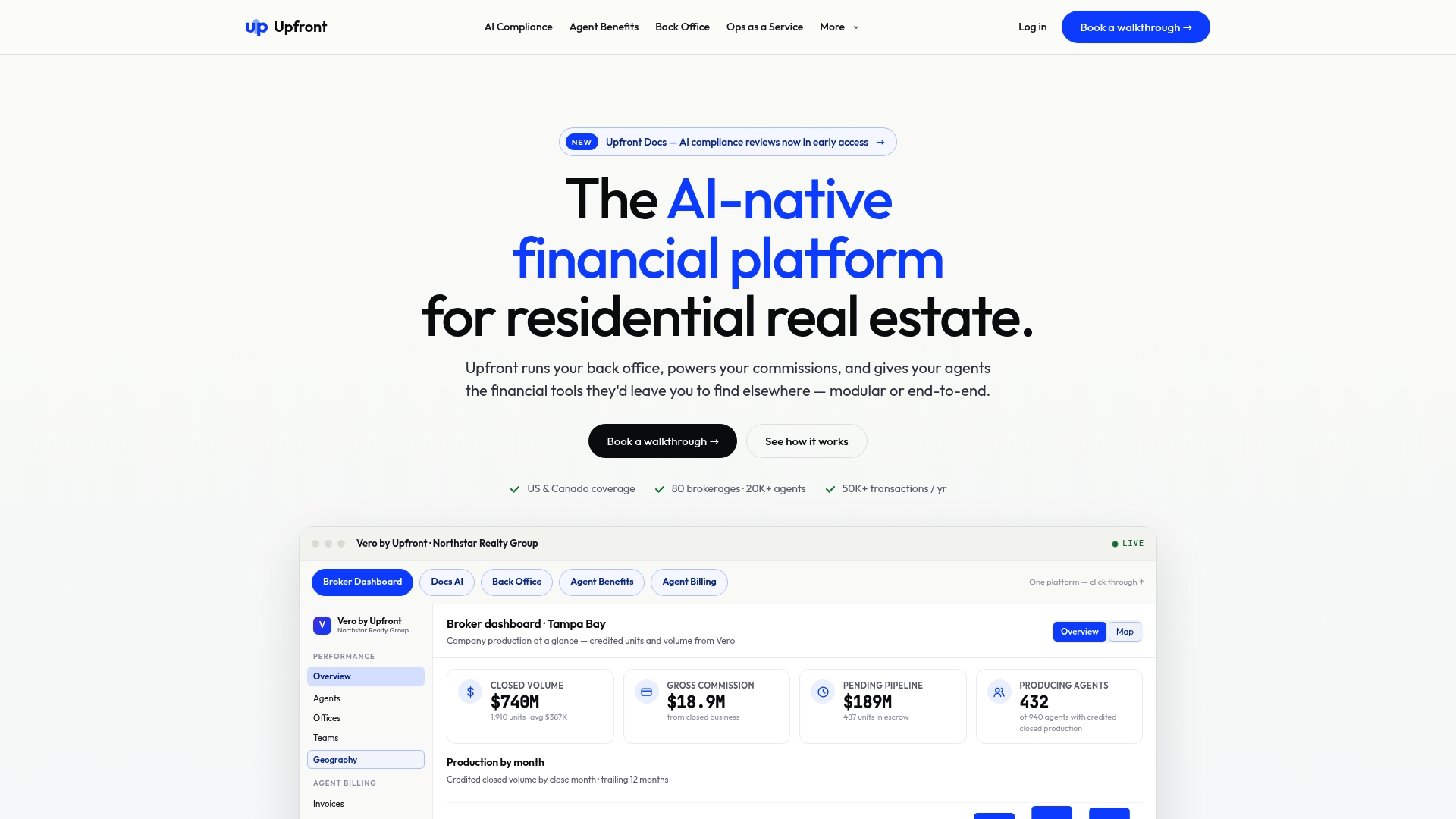
MLSs and associations can deploy a branded back office and member benefits through Upfront. The platform targets residential real estate operations across the US and Canada. It combines financial services, agent benefits, and back office modules under one vendor.
Core Features
Upfront offers a modular platform that ties trust accounting, commission disbursement, and agent onboarding into a single system. It pairs AI powered document review with human oversight for compliance flagging and enforces industry rules inside trust account workflows. The platform also includes real time reporting for P&L, margins, and GCI, plus embedded healthcare, retirement, and financial services that brokerages and MLSs can brand.
Key Differentiator
Upfront focuses on a modular full lifecycle platform that aligns back office operations with compliance automation and reconciliation. Its combination of AI powered compliance and real time reconciliation aims to close the gap from contract to payout. That pairing targets brokerages and associations that want financial controls and benefits under one roof.
Pros
A full lifecycle platform with modular deployment options lets you enable only the modules you need. Automation in compliance, trust management, and commission processing reduces manual bookkeeping and cut down repetitive reconciliation work. Open APIs and migration support for Lone Wolf and Brokermint make switching less disruptive for brokerages with legacy systems.
Cons
- Concerns have been raised about review transparency and possible censorship, which can affect vendor credibility.
- Some customers report mixed responsiveness from support and limited clarity on product update timing.
- Independent user reviews are limited, with reports that some reviews are hidden or censored.
When It May Not Fit
If transparent public reviews and vendor reputation are a top procurement criterion, this vendor may raise questions during vendor due diligence. If your brokerage needs fixed, published pricing to budget against, the lack of public tiers could slow approval. Small brokerages with minimal back office complexity may find the modular offering larger than their needs.
Who It’s For
Mid sized to large residential brokerages, MLSs, and REALTOR® associations that need trust accounting, commissions, and agent benefits in one system will get the most value. Choose Upfront when you plan to consolidate multiple back office functions and want branded benefits for agents. If you manage high transaction volumes and need migration support, this aligns with your priorities.
Real World Use Case
A regional brokerage moves from separate trust accounting and commission tools to Upfront’s Vero platform for trust accounting, commissions, and agent onboarding. The migration reduces reconciliation steps and makes audit trails more complete. The brokerage also offers branded healthcare benefits to recruit and retain agents.
Pricing
Pricing is not publicly disclosed. Costs likely vary by transaction volume and the modules you select, so expect custom quotes based on scale and feature set. Ask for a detailed pricing worksheet during vendor conversations to compare total cost of ownership.
Website: https://myupfront.com
ezBOSPro
At a Glance
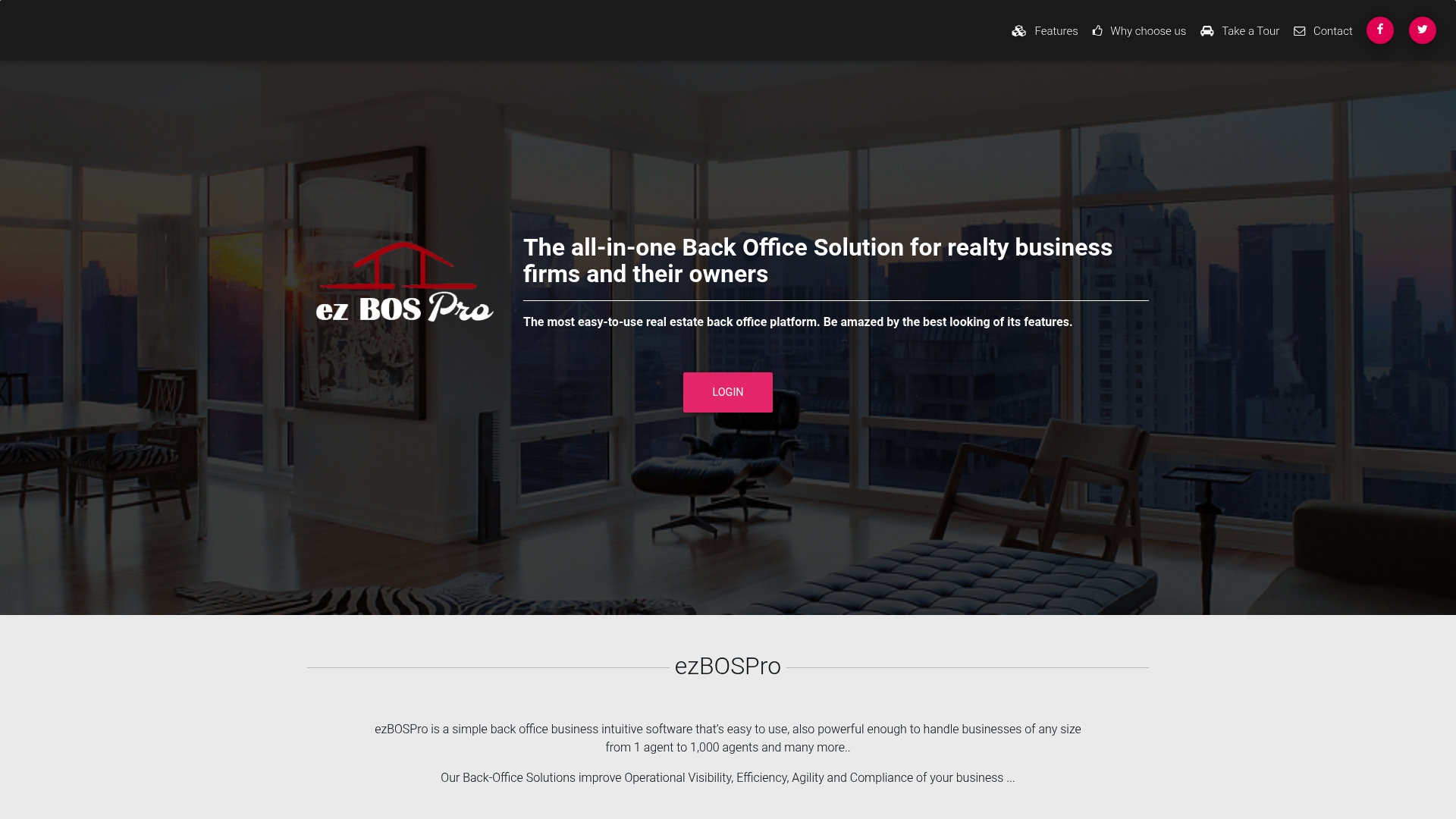
Built by IT engineers who also have realty brokerage experience, ezBOSPro blends brokerage workflow knowledge with engineering. The system runs in a browser, so you access it from any location without installing software. It consolidates transaction tracking, commission calculation, trust account oversight, checklists, reminders, dashboards, and reports into a single back office environment.
Core Features
Core modules include Transaction Management, which drives automated checklists and step reminders, and Commission Management, which records detailed commission breakdowns and referral fees. The Agent Management portal gives agents controlled access and tracks performance while dashboards and business intelligence surface exceptions and financial metrics. The platform also covers expense and trust account tracking alongside authentication levels and reporting.
Key Differentiator
The product’s distinguishing trait is that developers built it with direct input from realty brokerage professionals. That design focus aligns feature choices with common brokerage workflows and accounting needs. Engineering competence among the team shapes how features interact with real world transaction and commission processes.
Pros
Built by engineers with brokerage backgrounds, the system maps real estate process steps to software controls, which reduces manual reconciliation. The interface reads modern and intuitive, and centralizing transactions and commission records cuts down on duplicated spreadsheets. Cloud access and stated security safeguards make it usable across multiple offices and for remote supervisors, while scalability supports small teams through larger brokerages.
Cons
- Steep learning curve for people not familiar with Excel style workflows or detailed brokerage processes; administrators often report a training period.
- Public pricing is limited, so budget planning requires direct contact with sales.
- Automation delivers value but may need configuration and training before teams trust automated checks and reminders.
When It May Not Fit
If your brokerage wants minimal onboarding and relies on simple spreadsheets, the platform may feel too feature heavy. If transparent list pricing matters for procurement, the lack of public rates complicates vendor comparison. Small teams that need a plug and play, pay as you go option may prefer a lighter, clearly priced tool.
Who It’s For
Brokerage owners and back office managers who need a full back office system for transactions, commissions, and trust accounts will find fit. Firms running multiple offices or supervising many agents benefit from remote access and consolidated reporting. Organizations ready to allocate time for training and configuration will realize the most operational control.
Real World Use Case
A mid sized brokerage uses ezBOSPro to manage over 100 agents, automate transaction checklists, and generate detailed financial reports from any location. Office managers use dashboards to spot commission exceptions and to reconcile trust account entries. The system reduces manual steps and produces audit ready records for supervisors.
Pricing
Public pricing is not available. Prospects must contact ezBOSPro for commercial licensing and implementation quotes, which then determine total cost based on feature set and deployment needs.
Website: https://ezbospro.com
Comparison of alternatives
Brokerage payment and compliance management systems provide essential tools to streamline financial operations and maintain adherence to regulatory standards. Among the options, each platform offers distinct benefits based on specific operational needs, ranging from compliance and auditing to agent benefits and extensive workflow customization.
Customization and extensibility possibilities
TotalBrokerage stands out for its emphasis on adaptability through API and Zapier integrations. This setup allows brokerages to maintain synchronization between lead generation processes and back-office systems. Brokerages with unique transaction workflows or integration requirements will benefit most from TotalBrokerage. Conversely, while BrokerPay offers focused compliance workflows, it lacks TotalBrokerage’s extensive support for external platform connections.
Compliance and auditing centered solutions
BrokerPay excels with its targeted features for compliance automation and auditing. With its flat pricing model and dedicated audit trails, it simplifies payment recording and regulatory adherence. This makes it a top choice for brokerages prioritizing secure and documented financial flows specifically tailored for real estate transactions. Other competitors offer broader feature sets, but they may require additional configuration to achieve similar compliance guarantees.
Best fit
- Brokerages requiring compliance automation and full audit trails for commission flows will find BrokerPay an efficient solution.
- Firms with highly specific integration requirements should opt for TotalBrokerage and leverage its API & Zapier compatibility.
- Multi-office agencies seeking real-time operational insights should consider Brokerage Engine.
- Larger organizations looking for modular platforms that include agent benefits alongside back-office setup would benefit from the flexibility of Upfront.
Our pick
For brokerages focusing on secure, compliant, and auditable payment workflows alongside budget predictability, BrokerPay offers a reliable solution. However, organizations demanding highly customizable workflows might consider TotalBrokerage for its integration options. Evaluating operational requirements will directly inform the best choice for your brokerage’s unique needs.
Evaluating platforms for real estate transaction oversight reveals clear distinctions in pricing predictability, audit capabilities, and compliance integration:
| Product | Core Feature | Key Differentiator | Pricing | Notable Limitation |
|---|---|---|---|---|
| BrokerPay | Real estate payment workflows tracking | Compliance workflows with full audit trails | $149/month for up to 50 agents | Limited to real estate brokerage workflows only |
| Brokerage Engine | Full-featured brokerage management | Developed by brokerage owners for brokerages | Price not published | Platform complexity requires extended training |
| TotalBrokerage | Commission automation and deal tracking | Vertical focus on brokerage operations | Starts at $150/month | Initial setup of forms can be time-consuming |
| Upfront | Modular compliance and financial services | AI powered compliance automation | Price not published | Questions about review transparency may affect credibility |
| ezBOSPro | Transactions and commission management | Developed with realty professionals’ input | Price not published | Steep learning curve for Excel-style workflows |
Addressing Compliance and Payment Challenges in Real Estate Brokerages
Real estate brokerages often face the challenge of managing agent splits, referral fees, and commissions while staying compliant with regulations like RESPA. Informal payment methods like Venmo and Zelle can increase federal liability and create audit gaps. Brokerpay solves these issues by providing a brokerage-controlled payment platform that tracks and documents every transaction with bank-level encryption and approval workflows.
Key benefits include:
- Removing risky Venmo/Zelle workarounds
- Maintaining full audit trails and approval records
- Offering predictable monthly pricing without per-transaction fees
Explore Brokerpay to see how your brokerage can maintain compliance and reduce payment errors. Visit the site and request a demo to learn how Brokerpay fits among top accounttech.com alternatives for real estate brokerages.
FAQ
What unique features does Brokerpay offer for real estate brokerages?
Brokerpay provides a centralized dashboard for managing payment requests, tracking agent splits, and auditing transactions. It maintains role-based access and bank-level encryption, simplifying compliance for brokerages. Teams looking for an organized payment workflow will find this capability highly beneficial.
How does Brokerpay’s pricing compare to its competitors?
Brokerpay starts at $149 per month for up to 50 agents without per-transaction fees, making it budget-friendly for brokerages. This pricing model contrasts with other platforms, which may charge additional fees per transaction, complicating cost estimation. Brokerages can anticipate predictable budgeting with Brokerpay.
What advantages does Brokerage Engine have over Brokerpay?
Brokerage Engine excels in providing a comprehensive suite that includes transaction management, compliance tools, and automated commission calculations within a single system. While Brokerpay is specifically tailored for payment workflows, Brokerage Engine supports broader brokerage operations. This makes Brokerage Engine a good fit for larger brokerages looking for an all-in-one solution.
What features are essential for real estate brokerages when selecting commission management software?
Essential features include automated commission calculations, compliance tracking, and performance reporting. Brokerpay offers these capabilities, ensuring that brokerages can effectively manage their financial workflows while maintaining compliance. It’s critical for brokerages to evaluate these features according to their specific operational needs.
Can Brokerpay accommodate larger brokerages with custom needs?
Brokerpay offers custom plans for larger brokerages, allowing for flexibility in scaling operations. This provides a tailored solution for brokerages that require specific functionalities, like cap tracking or advanced reporting. Larger teams can benefit from Brokerpay’s structured approach while maintaining control over their financial transactions.