Prevent CP2100 Notices: W-9 Collection Workflow for U.S. AP Teams

Require a signed W-9 before the first payment goes out, collect it through an IRS-compliant electronic system with a verifiable e-signature and audit trail, and run TIN matching the moment it arrives. That sequence, done in that order, closes most of the gaps that trigger IRS notices later. Everything else in a strong W9 collection workflow supports those three moves.
TL;DR:
- Collect a signed W-9 before the first payment using an IRS-compliant electronic system with an e-signature and audit trail to prevent mismatches.
- Run TIN matching immediately upon receipt to catch name/TIN mismatches early and avoid costly IRS notices and penalties.
- Enforce strict validation, documentation, and payment holds for vendors who do not submit or update accurate W-9s, especially after legal or entity changes.
- Use purpose-built workflows or platforms like Brokerpay for brokerages to ensure RESPA compliance, full audit trails, and seamless W-9 management for agent splits and commissions.
- Document all solicitation attempts and keep W-9 data securely encrypted with proper access controls to ensure audit readiness and compliance.
Table of Contents
- Why W-9 Collection Matters for Finance Teams
- Who Needs to Submit a W-9, and When to Ask
- What Your Electronic W-9 System Must Legally Do
- Automation Options: Links, Portals, SMS, and Integrations
- How to Handle TIN Mismatches and Backup Withholding
- Keeping W-9 Records Secure and Audit-Ready
- A Step-by-Step W-9 Collection Workflow You Can Copy
- Why Brokerages Need a Purpose-Built W-9 and Payout Workflow
- What AP Teams Should Actually Prioritize
- Brokerpay: Compliant W-9 Collection Built for Brokerages
- FAQ
Why W-9 Collection Matters for Finance Teams
A missing or mismatched W-9 doesn’t cause a problem in the moment you onboard a vendor. It causes a problem eleven months later, when your team is trying to file 1099s and discovers that a name and Taxpayer Identification Number don’t match IRS records. At that point, you’re not fixing a form. You’re managing a notice.
When a name/TIN combination doesn’t match, the IRS sends a CP2100 or CP2100A notice, and that notice starts a clock. You have to solicit a corrected W-9 from the vendor, and if you don’t get one, backup withholding rules kick in. Ignore the process entirely and you’re looking at information return penalties that scale with how late the correction comes and how many forms are affected.
The operational cost is often worse than the dollar penalty. A finance team chasing forty vendors for corrected paperwork in December, while also closing the books, is not a productive use of anyone’s January.
A single unmatched TIN can cascade into:
- A CP2100 notice requiring a formal B-Notice mailing to the vendor
- A second notice within three years, which changes the compliance response entirely
- Backup withholding at the current statutory rate on future payments
- Delayed 1099 filing while corrected information is chased down
Pro Tip: Track your B-Notice history per vendor. A second CP2100 in a three-year window carries different, stricter obligations than a first notice, and most AP teams don’t realize that until they’re already in it.
The mismatches themselves are usually mundane. A vendor’s business changed its legal name after an LLC conversion. A sole proprietor filed under a name variant. Nobody flagged it. That’s the entire problem this workflow exists to prevent.
Who Needs to Submit a W-9, and When to Ask
Form W-9 exists to collect a payee’s TIN, legal name, and certification, and it applies to any U.S. person or entity you pay for services, rent, or other reportable income. The official Form W-9 covers a wide range of payee types, and most AP teams underestimate how broad that list is.
Who typically needs to submit one:
- Independent contractors and freelancers
- Sole proprietors and single-member LLCs
- Partnerships, corporations receiving certain reportable payments, and attorneys
- Landlords receiving rent payments over the reporting threshold
- Referral partners and co-op arrangement participants in real estate transactions
Timing matters more than most onboarding checklists reflect. The right moment to request a W-9 is before the first payment leaves your account, full stop. Waiting until year-end to backfill missing forms is how AP teams end up issuing 1099s with placeholder or incorrect information.
Three other triggers should prompt a fresh W-9 request even from an existing vendor: a legal entity change (sole proprietor incorporating, for example), a business name change, or a CP2100 notice flagging a mismatch on file. If a vendor submits a W-9 marked “Applied For” because they’re waiting on an EIN, you’re on the clock. The IRS gives a limited window before backup withholding becomes mandatory on payments if a permanent TIN still hasn’t been provided.
What Your Electronic W-9 System Must Legally Do
Paper W-9s stuffed in a filing cabinet still technically satisfy the IRS, but almost no modern AP team collects that way anymore. If you’re moving to an electronic system, the IRS instructions for requesters of Form W-9 set specific minimums that aren’t optional.
The requirement that trips up the most teams is the perjury certification. A vendor signing a W-9 is certifying, under penalties of perjury, that their TIN is correct and that they’re not subject to backup withholding. Your electronic system has to authenticate that the person submitting is the person certifying, not just capture a typed name in a text box.
Your e-collection system needs to:
- Capture a legally valid electronic signature tied to the perjury statement
- Log user access and submission activity in an auditable trail
- Preserve the ability to produce a hard copy of the completed form on IRS request
- Confirm data integrity, meaning what the vendor submitted matches what your system stores
- Authenticate the submitting user’s identity in a way you can document later
That last point comes straight from IRS guidance describing the standard as ensuring “information received is information sent,” language that shows up in the draft instructions for requesters of Form W-9 and underscores how seriously the agency treats tampering or misattribution risk in electronic submissions.
Pro Tip: Before signing a contract with any e-collection vendor, ask them directly whether their system can produce an audit log showing who accessed a specific W-9 and when. If they can’t answer that in one sentence, keep looking.
A lot of general-purpose e-signature tools built for contracts were never designed with this perjury-statement requirement in mind. That gap is worth checking before you assume your existing e-sign platform covers you.
Automation Options: Links, Portals, SMS, and Integrations
Not every vendor relationship needs the same collection method. Volume and vendor type should drive the choice, not whatever tool happens to be cheapest to license.
- Unique recipient links sent by secure email work well for one-off vendors and low-volume relationships. A single-use link tied to that vendor’s email address, expiring after submission, keeps friction low without sacrificing traceability.
- Vendor portals with single sign-on make more sense once you’re managing recurring vendors at scale. A portal lets a vendor update banking details, resubmit a corrected W-9, and check payment status without generating a new email thread every time.
- SMS and mobile capture fits contractor-heavy operations, particularly in industries like real estate, construction, and field services where a subcontractor may not be checking email daily. A text with a mobile-optimized form often gets a same-day response when email sits unread.
- Direct integration with your vendor master file or ERP closes the loop entirely, pushing validated W-9 data straight into the system that generates 1099s, instead of relying on someone to re-key it in December.
Whatever channel you pick, field validation matters as much as the delivery method. Required-field enforcement, format checks on TIN structure, and address standardization catch errors before they turn into mismatches down the line. A form that lets someone submit nine digits with a typo is not meaningfully better than paper.
Some brokerages have started leaning on channels vendors already use daily, including messaging platforms; a WhatsApp-based CRM approach for agent and vendor communication shows how low-friction outreach channels can shorten response times when a form is sitting in someone’s inbox unopened. The principle applies to W-9 solicitation too: meet the vendor where they already respond.
How to Handle TIN Mismatches and Backup Withholding
Collecting the form is half the job. Verifying it is the half that actually prevents penalties.
Once a W-9 comes in, run it through the IRS TIN Matching program through IRS e-Services before the vendor’s first payment posts. A validated match at intake is one of the cheapest risk-reduction moves available to an AP team, and it’s the single control most likely to keep you off the CP2100 mailing list entirely.
When TIN matching flags a mismatch, the response sequence looks like this:
- Contact the vendor in writing, requesting a corrected W-9 within a set window (30 days is standard practice)
- Document every solicitation attempt, including dates and method, since that documentation is what supports a reasonable-cause defense later
- If the vendor doesn’t respond or resubmits with the same incorrect information, escalate toward the formal B-Notice process
- If a second B-Notice hits within three years for the same vendor, the required response is stricter and doesn’t allow the same self-correction path as a first notice
- Begin backup withholding on future payments if the vendor still hasn’t provided a valid TIN after the compliance window closes
A validated TIN match can qualify as reasonable cause under section 6724(a), which matters if the IRS later questions why a penalty shouldn’t apply. That’s a real defense, but only if you can show you ran the match and kept the record.
Pro Tip: Save the TIN match confirmation, not just the result. “Matched” with no timestamp or reference number is much weaker documentation than a saved confirmation showing exactly when you verified it.
Backup withholding rules apply immediately once the compliance window lapses, at the statutory rate, and that withholding has to continue until a valid TIN is on file. Skipping it isn’t a paperwork risk, it’s a direct financial liability the IRS can assess against your business.
Keeping W-9 Records Secure and Audit-Ready
A W-9 contains a Social Security Number or EIN alongside a legal name and address, which makes it sensitive data by any reasonable standard, not just a tax form. Storage decisions deserve the same rigor as the collection process.
Baseline storage requirements worth building into any workflow:
- Encryption at rest and in transit for every stored form
- Role-based access limiting who can view raw TIN data versus who only needs to confirm a form is on file
- Searchable metadata (vendor name, submission date, TIN match status) so retrieval doesn’t require opening every PDF
- A documented change history showing when a vendor’s W-9 was updated and why
Retention timing should track the underlying tax filing, not an arbitrary internal policy. Keeping forms for the life of the vendor relationship plus several years afterward covers most audit windows the IRS typically opens, and it means you’re not scrambling if a notice arrives referencing a payment from three years back.
The hard-copy requirement deserves a second mention here because it’s easy to overlook once everything is digital: your system has to be able to produce a physical, IRS-legible copy on request, not just a database export. If your current storage setup can only generate a screenshot or a partial record, that’s a gap worth closing before an audit forces the issue.
A Step-by-Step W-9 Collection Workflow You Can Copy
This is the sequence that closes the most common gaps, in the order that prevents them from compounding.
- Trigger at onboarding. The moment a vendor is added to your system, before any payment is scheduled, send the W-9 request. Set a submission deadline, typically five business days, and make the first payment contingent on receipt.
- Validate on arrival. Check the form for completeness: legal name matches the entity type selected, TIN format is correct, signature and date are present. Reject incomplete submissions immediately rather than filing them and hoping someone catches it later.
- Run TIN matching same-day. Submit the name/TIN combination through IRS e-Services before the vendor’s first payment posts, not after.
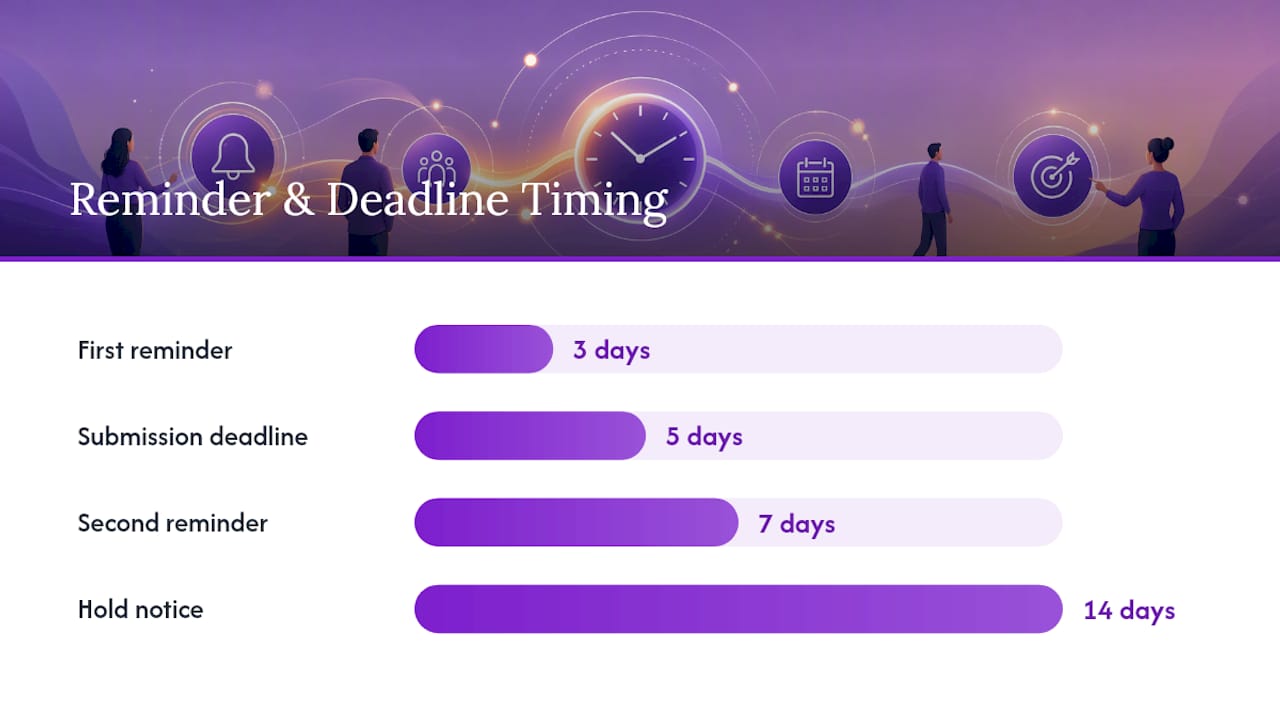
- Set a reminder cadence for nonresponsive vendors. A first reminder at three days, a second at seven, and a hold notice at fourteen keeps pressure on without becoming harassment.
- Escalate to a payment hold after the deadline lapses. No signed, validated W-9 means no payment. This is the rule that gives the rest of the workflow teeth. Without an enforced hold, “please send your W-9” becomes background noise vendors learn to ignore.
- Document every step. Every reminder, every hold, every resubmission gets a timestamp. This record is your defense if the IRS later asks why a penalty shouldn’t apply.
- Re-verify on a cadence, not just on trigger events. Annual or biennial re-confirmation for active, high-volume vendors catches entity changes nobody thought to report.
Pro Tip: Build the payment hold into your AP system’s workflow logic, not into a person’s memory. The moment enforcement depends on someone remembering to check a spreadsheet, it stops happening consistently within about a quarter.
The teams that get this right treat the W-9 as a payment prerequisite, structurally, not as a compliance courtesy you circle back to when there’s time. That distinction shows up directly in year-end 1099 accuracy.
Why Brokerages Need a Purpose-Built W-9 and Payout Workflow
General AP tools handle most vendor categories fine. Real estate brokerages run into a sharper problem: agent splits, referral fees, and co-op commissions all carry RESPA compliance requirements that a generic accounts payable system was never built to track.
Brokerages that still route commission payments through Venmo or Zelle are carrying federal liability they usually don’t recognize until it surfaces in an audit or dispute. Neither platform produces the documentation trail regulators expect, and neither one ties a payment back to a signed, verified W-9 or a documented approval chain.
Brokerpay was built specifically for this gap, automating signed W-9 capture, audit trails, and commission payment workflows in one system, keeping every dollar moving through brokerage-controlled accounts instead of a personal payment app. If your brokerage is still deciding between bolting W-9 collection onto a general AP tool versus adopting something purpose-built for broker payouts, the deciding factor is usually volume: once you’re managing more than a handful of agents and recurring co-op arrangements, the RESPA-specific structure stops being a nice-to-have.
What AP Teams Should Actually Prioritize
Most compliance advice on this topic buries the important part under procedural detail. Here’s the version that matters: make W-9 collection non-negotiable at onboarding. Not “encouraged,” not “requested.” A blocked payment until the form clears validation.
Second, automate TIN matching at the point of intake rather than treating it as a year-end cleanup task. Every AP team I’ve seen get burned by a CP2100 notice had the same root cause: they collected the form and filed it without checking it against IRS records until it was too late to fix cheaply.
Third, and this gets skipped constantly, document your solicitation attempts even when a vendor eventually complies. The paperwork you generate while chasing a form is the same paperwork that protects you if the IRS ever questions your process. Teams that only keep the final signed W-9 are missing half the file that actually matters in an audit.
— Wes
Brokerpay: Compliant W-9 Collection Built for Brokerages
If your brokerage is still tracking agent splits, referral fees, and co-op commissions across spreadsheets and personal payment apps, the compliance gap isn’t hypothetical. It’s sitting in your transaction history right now, unlabeled and undocumented.
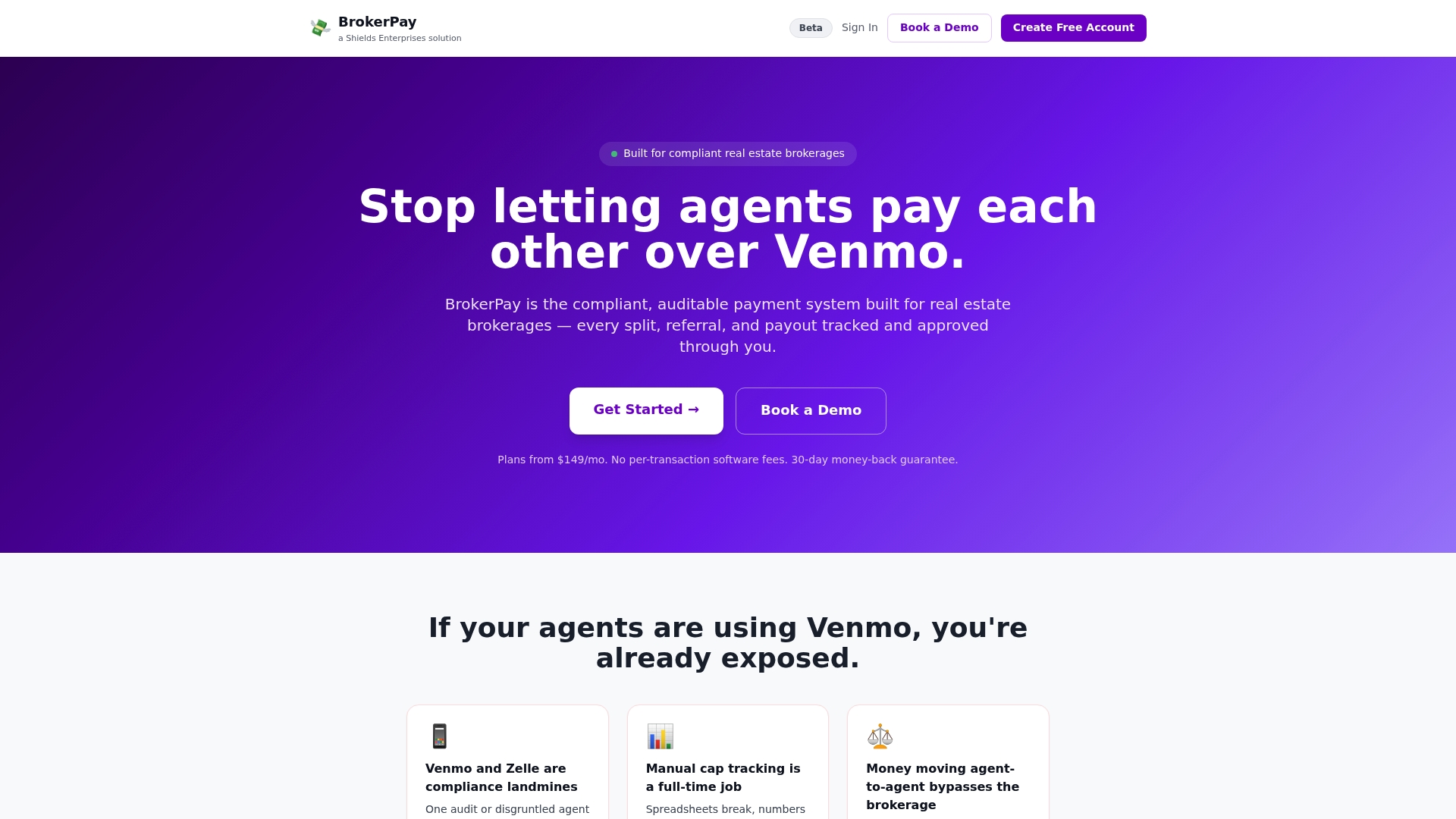
Some platforms eliminate the Venmo and Zelle workarounds that create federal RESPA liability by routing commission payments through brokerage-controlled accounts, with signed W-9 capture, full audit trails, cap tracking, and built-in approval workflows integrated into the platform. These solutions often feature flat monthly pricing without per-transaction fees and may offer refund guarantees. For a brokerage managing more than a few agents, the difference between “we think our payment records are fine” and “we can produce a complete audit trail in ten minutes” is the entire point.
Visit the Brokerpay landing page to see plan details and request a demo for your brokerage.
FAQ
How Do You Fill Out a W-9 Step by Step?
The payee enters their legal name, business name if different, federal tax classification, address, and TIN, then signs and dates the certification under penalties of perjury. The full field-by-field instructions are on the official Form W-9 itself.
What Are the Most Common W-9 Mistakes to Avoid?
The most frequent errors are a name that doesn’t match IRS records exactly, an incorrect entity classification checkbox, and a missing or illegible signature. Running TIN matching at intake catches the name/TIN mismatch before it becomes a CP2100 notice.
How Long Does W-9 Processing Typically Take?
With an electronic collection system and same-day TIN matching, verified processing can happen within hours of submission. Paper-based collection with manual TIN checks often stretches to days or weeks, especially when a mismatch requires a follow-up request.
Is a W-9 Only for U.S. Citizens?
Form W-9 exists to collect a payee’s TIN, legal name, and certification, and it applies to any U.S. person or entity you pay for services, rent, or other reportable income. Non-U.S. persons generally submit a Form W-8 series form instead, not a W-9.
Does Brokerpay Handle W-9 Collection for Brokerages?
Yes, Brokerpay automates signed W-9 capture with audit trails as part of its commission payment workflow for real estate brokerages. Pricing details for the Starter, Growth, and Enterprise plans are available on the Brokerpay site.